
What you need to do
The practical activities and techniques you need to master – what to practice, what to get good at, and what to keep doing.
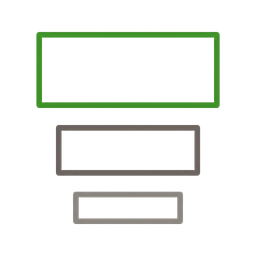
Establishing visual hierarchy
Guide the user's eye through the interface in the order that matters. Size, weight, color, and spacing work together to signal what's most important, what's secondary, and what's background. NN/g's rule of thumb: limit your design to 3 type sizes and you'll get a clear hierarchy without overwhelming the layout. If someone can't tell where to look first, the hierarchy is broken – no amount of polish will fix that.
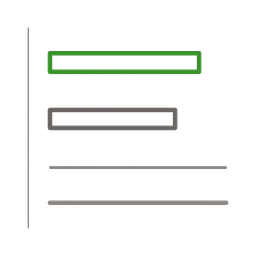
Building a typography system
Select typefaces, define a scale, set line-heights, and pair fonts into a system that covers every text role in the product – from page titles to input labels to legal footnotes. A good type system uses 2–3 sizes for hierarchy and a consistent scale ratio (e.g. 1.25 or 1.333). Once the system exists, every new screen uses the same tokens – no ad-hoc font sizes, no 'make it a bit bigger' conversations.
Creating an accessible color system
Define a color palette that works for branding, communicates status (success, warning, error), and passes WCAG contrast requirements. Normal text needs 4.5:1 contrast ratio against its background; large text needs 3:1. Color must never be the only indicator – always pair it with an icon, label, or pattern. Build the palette as design tokens so dark mode, high-contrast mode, and brand variations are a theme swap, not a redesign.
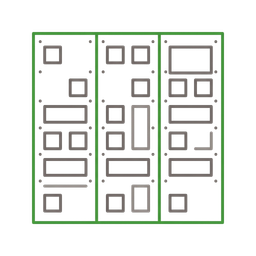
Designing with grid and spacing systems
CSS Flexbox and Grid have made rigid 12-column grids largely obsolete – you can now build layouts that adapt fluidly without counting columns. What still matters is thinking in divisible rhythms: layouts that split cleanly into halves, thirds, and quarters, and content areas that add up to a coherent whole. Pair that with a spacing system based on multiples of a base unit (commonly 16px, with 8px as the smallest step) for all padding, margins, and gaps. The internal spacing of a group should be smaller than the spacing between groups – this creates visual proximity that communicates relationships without labels. Systematic spacing eliminates ad-hoc positioning and makes responsive layouts predictable.
Designing interaction states
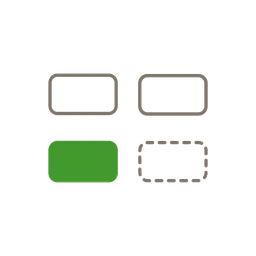
Every interactive element needs more than a default state. Design hover, focus, active, disabled, loading, empty, error, and success states – before writing a single line of code. Empty states are onboarding opportunities, not dead ends. Error states should be calm, specific, and tell the user what to do next. Loading states (skeleton screens over spinners) set expectations and prevent perceived slowness.

Building and governing a component library
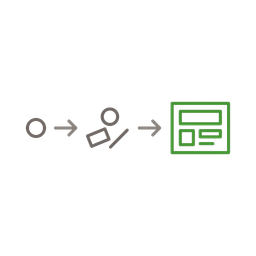
Create reusable components – buttons, inputs, cards, modals, tables – that encode visual decisions once and apply them everywhere. Start small: the 10 components your product uses most. Use Atomic Design thinking (atoms → molecules → organisms) as a mental model, not a rigid taxonomy. Governance matters as much as creation: define when to create a new component, when to extend an existing one, and when to override.

Implementing responsive and adaptive design
Design mobile-first, then enhance for larger screens. Use fluid typography with CSS clamp() so text scales smoothly instead of jumping at breakpoints. Test on real devices – simulators miss touch targets, font rendering, and viewport quirks. Responsive design isn't just 'make it fit smaller screens' – it's rethinking information density, navigation patterns, and interaction models for each context.
Frameworks to know
The mental models and structured approaches that guide how you think about this skill – not rules to follow, but lenses to see through.
Atomic Design (Brad Frost)
A mental model for building component libraries in layers: atoms (button, input, label), molecules (search field = input + button), organisms (header = logo + nav + search), templates (page layouts), pages (templates with real content). The value isn't the labels – it's thinking in composable pieces that can be combined, swapped, and governed independently. Modern practice treats it as a spectrum rather than strict categories.

Apple Human Interface Guidelines
Apple's comprehensive design system covering macOS, iOS, iPadOS, watchOS, and visionOS. HIG defines platform conventions, interaction patterns, visual guidelines, and accessibility standards that users expect from Apple platform apps. Key principles: clarity (text is legible, icons are precise, adornments are subtle), deference (content is the focus, UI doesn't compete with it), and depth (visual layers and motion convey hierarchy). For product builders, HIG is both a design system reference and a user expectations manual – apps that follow HIG feel native and trustworthy on Apple platforms.

Google Material Design
Google's open-source design system for building consistent, adaptive, and accessible interfaces across Android, web, and Flutter. Material 3 (M3) introduces dynamic color (palettes generated from user wallpapers), a comprehensive token system, and updated components. Key principles: material as metaphor (surfaces, edges, shadows convey structure), bold and intentional design (deliberate color, typography, and motion choices), and responsive motion (movement provides feedback and spatial continuity). Material Design provides both the visual language and the component specifications – making it a practical starting point for product builders who need a complete design system without building from scratch.
Good vs. bad
Common mistakes paired with what experienced practitioners do instead – and why the product builder approach changes the game.



Visual design is the skill most engineers dismiss and most designers gate-keep. Both are wrong. You don't need to be a trained graphic designer to build an interface that's clear, consistent, and professional. You need a system – a type scale, a color palette, a spacing grid, a component library – and the discipline to use it.
The product builder advantage is that you can close the gap between design and implementation in real time. You see a spacing inconsistency? Fix it in CSS, not in a Figma comment that gets triaged next sprint. The design system lives in both Figma and code, and the product builder works in both. That's why design tokens matter so much – they're the bridge between the designer's intent and the developer's implementation.
I've seen teams spend months building elaborate design systems that nobody uses, and I've seen solo builders ship beautiful products with Tailwind defaults and a handful of custom CSS variables. The difference isn't the tool – it's whether the visual decisions are systematic or ad-hoc. A simple system used consistently beats an elaborate system nobody follows.
AI is making visual design more accessible, not less important. Tools like v0.dev and Figma AI can generate layouts and components in seconds – but they generate from patterns, and someone needs to judge whether the result serves the user. The skill isn't pushing pixels. The skill is knowing what good looks like and being able to articulate why.
The most underrated aspect of visual design is state design. Most mockups show the happy path with perfect data. But users spend half their time in loading states, empty states, error states, and edge cases. If you design those states with the same care as the hero screen, your product will feel polished. If you don't, it'll feel half-finished – no matter how beautiful the landing page is.
Go deeper
Books to deepen your understanding beyond what fits on this page.

Practical visual design rules written for developers – covers hierarchy, spacing, color, typography, and shadows with real before-and-after examples. The most actionable visual design book for builders.

The foundational text on how humans perceive and interact with designed objects – affordances, signifiers, mapping, and feedback. Understanding these principles transforms how you think about every interface decision.
The methodology for building design systems as composable layers – atoms, molecules, organisms, templates, pages. Free to read online. The mental model behind every modern component library.
Design better interfaces with clear rules and logic – emphasizes simplicity, consistency, and making design accessible to non-designers through systematic thinking.