
What you need to do
The practical activities and techniques you need to master – what to practice, what to get good at, and what to keep doing.

Writing semantic HTML
HTML is the foundation that everything else builds on – and most developers write it badly. Use semantic elements: <nav> for navigation, <main> for primary content, <article> for self-contained pieces, <section> for thematic grouping, <header> and <footer> for their obvious roles. Semantic HTML gives you accessibility for free – screen readers understand <nav> without ARIA labels. It gives you SEO for free – search engines weight <h1> content higher than random <div> text. It gives you AI discoverability for free – AI crawlers parse semantic structure to understand your content. The web platform has also added native interactive elements that replace JavaScript-heavy custom components: <dialog> for modals with built-in focus management and backdrop, <details> with the name attribute for exclusive accordions, and the Popover API for tooltips and menus. The Invoker Commands API lets you open modals and toggle popovers with pure HTML attributes – no JavaScript event handlers needed.
Mastering CSS layout with Flexbox and Grid
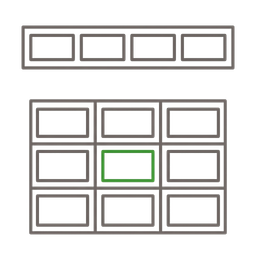
Flexbox for one-dimensional layouts (rows or columns), Grid for two-dimensional layouts (rows and columns together). These two systems replace every float hack, absolute positioning trick, and framework grid you've ever used. Flexbox: display: flex, justify-content for main axis alignment, align-items for cross axis, gap for spacing between items. Grid: display: grid, grid-template-columns for column definitions, grid-template-rows for rows, gap for gutters. Subgrid lets child grids inherit parent track definitions – perfect for card layouts where titles, images, and descriptions should align across cards regardless of content length. Subgrid has 97%+ browser support in 2025. Container queries let components adapt to their container's size instead of the viewport – a card that works in a sidebar and a main content area without media queries. Container queries have 94% global browser support. Learn Flexbox, Grid, Subgrid, and container queries – they handle every layout you'll ever need.
Implementing design tokens with CSS custom properties
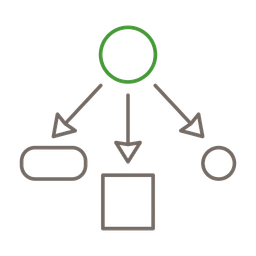
CSS custom properties (variables) are the bridge between design and code. Define your color palette, spacing scale, typography, and border radii as variables (--color-primary, --spacing-md, --radius-lg). Use them everywhere – no hardcoded values, no magic numbers. When the designer changes the primary color, update one variable and every component follows. Structure tokens in layers: primitives (--blue-500: #3B82F6), semantic mappings (--color-primary: var(--blue-500)), and component-specific tokens. Dark mode becomes a theme swap: override semantic tokens under [data-theme="dark"] or use @media (prefers-color-scheme: dark) for system-preference detection. Tailwind CSS v4 embraces this natively with @theme, defining tokens in CSS rather than JavaScript config. CSS custom properties cascade through the DOM, work at runtime (unlike Sass variables), and are inspectable in browser DevTools.

Building Web Components
Web Components are the browser's native component model – custom elements that encapsulate structure, style, and behavior without any framework. Define a custom element class extending HTMLElement, register it with customElements.define(), and use it in HTML like any built-in element. The power is interoperability: Web Components work in React, Vue, Angular, or standalone – they're just HTML elements. Two approaches to encapsulation: Shadow DOM provides full style isolation (styles don't leak in or out), while HTML Web Components (light DOM) progressively enhance existing HTML markup without Shadow DOM complexity. Shadow DOM is ideal for reusable design system components; light DOM is ideal for page-level interactivity that should inherit global styles. Use connectedCallback() for initialization, not the constructor – it runs when the element is in the DOM, avoiding timing issues. Use private properties with # prefix for encapsulation. For more complex components, Lit (5KB) adds reactive templates and scoped styles while staying 100% Web Components underneath.
Working with Shadow DOM
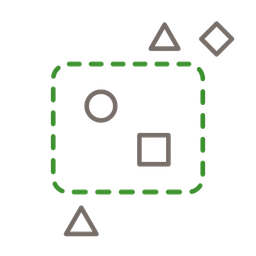
Shadow DOM creates an encapsulation boundary around a component's internal DOM tree. Styles defined inside shadow DOM don't leak out, and page styles don't bleed in – only inheritable CSS properties (font, color, line-height) cross the boundary. Use open mode for components that need external inspection and styling, closed mode for security-sensitive components. Slots let you inject light DOM content into specific points in the shadow tree – <slot> for default content, <slot name="header"> for named insertion points. Style slotted content with ::slotted() pseudo-element. Expose CSS custom properties as the component's styling API – consumers override --button-bg without breaking encapsulation. For performance, use adoptedStyleSheets to share a single CSSStyleSheet instance across multiple component instances. Declarative Shadow DOM (shadowrootmode attribute in <template>) enables server-side rendering of shadow roots, preventing the flash of unstyled content that JavaScript-only shadow DOM causes.

Implementing responsive design
Start mobile-first: write styles for the smallest screen, then add complexity with min-width media queries for larger screens. Use fluid typography with CSS clamp() – font-size: clamp(1rem, 0.5rem + 1vw, 1.25rem) scales smoothly without breakpoint jumps. The key accessibility detail: always combine vw with rem in the preferred value so text scales when users zoom (pure vw units don't respond to browser zoom, violating WCAG). Design for touch targets on mobile (minimum 44×44px), information density on desktop (more columns, smaller spacing). Container queries (@container) let components adapt to their container rather than the viewport – making truly reusable components possible. Test on real devices – simulators miss touch behavior, font rendering, and viewport quirks. Responsive design isn't shrinking the desktop layout – it's designing appropriate experiences for each context.

Optimizing web performance
Core Web Vitals are the metrics that matter: LCP (Largest Contentful Paint – under 2.5s, how fast the main content appears), INP (Interaction to Next Paint – under 200ms, how responsive the page feels), CLS (Cumulative Layout Shift – under 0.1, does content jump while loading). Only 48% of mobile pages pass all three thresholds. Practical optimizations: add explicit width and height to every image and video to prevent layout shift. Use loading="lazy" on below-fold images. Preload the hero image with fetchpriority="high". Use modern image formats (WebP, AVIF). Minimize JavaScript – every KB delays interactivity, and INP is the most commonly failed metric because of heavy JS. Break long tasks, defer non-critical work, yield to the main thread during interactions. Serve static assets from a CDN. Preload critical fonts with font-display: swap. Measure with Lighthouse and real-user monitoring – optimize what you've measured, not what you imagine.

Building accessible interfaces
Accessibility isn't a separate task – it's how you build the UI. Use semantic HTML and you're 70% there. The European Accessibility Act (EAA) is in force since June 2025, and ADA litigation in the US continues to grow – WCAG 2.2 Level AA compliance is a legal requirement, not a nice-to-have. Native HTML elements have accessibility built in: <button> supports keyboard activation with Space and Enter, <dialog> traps focus automatically, <details> announces expand/collapse state to screen readers. Only reach for ARIA when semantic HTML doesn't cover the case – aria-label on an icon button, role="dialog" on a custom component. Maintain 4.5:1 contrast ratio for normal text, 3:1 for large text. Never use color alone to convey meaning. Ensure all interactive elements are keyboard accessible – Tab to navigate, Enter/Space to activate. Test with VoiceOver (Mac) or NVDA (Windows) at least once per major feature.

Working with TypeScript and modern JavaScript
TypeScript adds type safety to JavaScript – catching null references, wrong argument types, and missing properties at compile time instead of runtime. Compile TypeScript to JavaScript with tsc or your build tool – the output is standard JavaScript that runs in any browser. For smaller projects, you can skip TypeScript entirely and still get type checking: use JSDoc annotations in plain .js files with the checkJs flag in tsconfig.json. Modern JavaScript (ES2025) is powerful: async/await for asynchronous operations, destructuring for clean data extraction, optional chaining (?.) and nullish coalescing (??) for safe property access, Map/Set for proper data structures, and native ES modules with import/export. Import maps let you use bare module specifiers in the browser without a bundler. The fetch API is the standard for HTTP requests. Handle every async operation's three states: loading (skeleton), error (what went wrong), and empty (what to do next).
Frameworks to know
The mental models and structured approaches that guide how you think about this skill – not rules to follow, but lenses to see through.

Graceful degradation
A development strategy where you build the full experience first, then ensure it still works (perhaps with reduced functionality) when features aren't available – older browsers, JavaScript disabled, slow connections. The approach starts with the ideal experience and adds fallbacks. For example: build a rich interactive form, then ensure it submits correctly without JavaScript. CSS feature queries (@supports) let you provide enhanced styles only when the browser supports them, with a solid baseline for everything else. Graceful degradation is pragmatic when you're enhancing an existing complex application.
Progressive enhancement
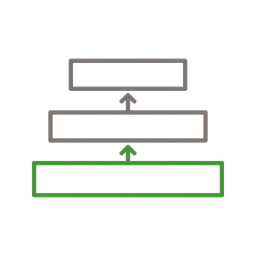
The inverse of graceful degradation: start with a functional HTML foundation that works everywhere, then layer on CSS for visual design and JavaScript for interactivity. The core content and functionality are accessible to every user and every device – enhancements are bonuses, not requirements. HTML Web Components embody this pattern: wrap existing semantic HTML in a custom element that progressively enhances it with JavaScript. The content is visible and functional without JavaScript – the custom element adds interactivity when it connects to the DOM. Progressive enhancement produces more resilient, accessible, and performant interfaces because the baseline is always solid.
Utility-first CSS
Instead of writing custom CSS classes (.card-header { padding: 1rem; font-weight: bold; }), apply utility classes directly in HTML (class="p-4 font-bold"). Tailwind CSS is the leading implementation – it generates only the utilities you actually use, keeping the CSS bundle small. Tailwind v4 defines design tokens in CSS with @theme rather than JavaScript config – tokens become native CSS custom properties. The advantages: no naming conventions to argue about, no specificity wars, no unused CSS accumulation. Co-locate styles with markup so you see what an element looks like by reading the HTML. The mental model maps directly to CSS – every utility is a single CSS property.
Good vs. bad
Common mistakes paired with what experienced practitioners do instead – and why the product builder approach changes the game.



The web platform in 2025 is dramatically more capable than most developers realize. Dialog elements, the Popover API, container queries, Subgrid, View Transitions, CSS nesting, the :has() selector – these features replace entire categories of JavaScript that we used to need frameworks for. The product builder who understands the platform builds faster, ships less code, and creates more resilient interfaces than the one who reaches for React by default.
Web Components are the most underappreciated technology in frontend development. Every component you build as a custom element works in every framework and every plain HTML page – forever. Browser vendors maintain the spec, so it won't be deprecated like your framework of choice. I build all my interactive UI as Web Components: theme toggles, navigation drawers, rating widgets, role filters. They're just HTML elements with superpowers.
I'm not anti-framework – I'm anti-default-framework. Frameworks solve real problems: complex state management, deep component hierarchies, team-scale conventions. But most product pages, marketing sites, and content-driven applications don't have those problems. They need HTML, CSS, a few interactive elements, and good performance. Starting with the platform and adding complexity when you feel specific pain produces better results than starting with a 200KB framework and trying to optimize it away.
The Shadow DOM is a powerful tool but not always the right one. For design system components that need encapsulation (buttons, inputs, cards), Shadow DOM prevents style leakage and ensures consistency. For page-level interactivity (tabs, accordions, form validation), HTML Web Components in the light DOM are simpler, inherit global styles, and progressively enhance server-rendered HTML. Know both patterns and choose based on the use case.
CSS has quietly become the most improved web technology. Flexbox and Grid handle every layout. Container queries make components truly reusable. CSS custom properties enable design tokens and theming. CSS nesting reduces boilerplate. The :has() selector enables parent-aware styling. Scroll-driven animations replace JavaScript animation libraries. If you learned CSS five years ago and stopped paying attention, you're missing half the language. The best investment in web development is mastering modern CSS.
Tailwind CSS ended the CSS methodology debate for me – not because utility classes are inherently superior, but because they map one-to-one to CSS properties. When you write class="flex gap-4 p-6", you're writing CSS with a shorter syntax. There's no abstraction to learn, no naming convention to debate, and no dead CSS to accumulate. AI tools produce dramatically better output with Tailwind because the classes are self-documenting.
Go deeper
Books to deepen your understanding beyond what fits on this page.
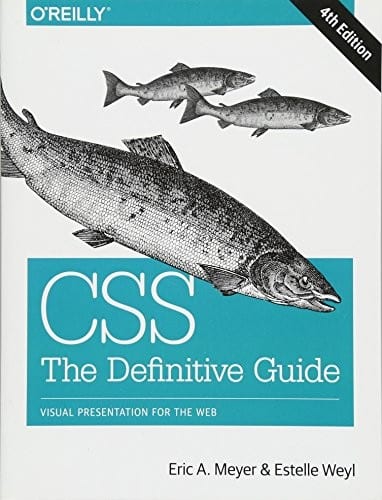
The most comprehensive CSS reference – every property, every value, every layout system. Not a tutorial, but the reference you keep on your desk when you need to understand exactly how CSS works.

Modern patterns for developing React apps – hooks, context, suspense, and the mental models behind component composition. The most current introduction to idiomatic React without the legacy class-component baggage.

How to untangle asynchronous JavaScript with observables – streams, operators, schedulers, and backpressure. Essential mental model for reactive UIs, real-time data, and event-driven frontends beyond what useState can handle.

The pattern catalogue behind every modern framework – MVC, MVP, Front Controller, Page Controller, Active Record, Data Mapper. Knowing the underlying patterns makes any framework (React, Angular, Rails, Django) easier to learn and reason about.

A craftsman's guide to software structure and design – dependency rule, ports and adapters, and how to keep business logic independent of frameworks and UI. The architectural foundation for sustainable frontend codebases.