What you need to do
The practical activities and techniques you need to master – what to practice, what to get good at, and what to keep doing.
Forming hypotheses for prototype validation
Before building anything, define what the prototype needs to test. What assumption are you trying to validate or invalidate? What decision will this prototype help you make? Write 2–3 concrete hypotheses with measurable criteria: 'We believe merchants can set up a second store in under 5 minutes using the new flow.' Without a hypothesis, a prototype is a demo – it impresses but doesn't teach you anything. The hypotheses shape what you build and what you deliberately leave out.
Building the prototype
Creating a testable prototype using code and your production design system. Set up a dedicated project that imports your real components – the same Tailwind config, the same tokens. Mock the API layer with static data. Use Claude Code or Cursor to describe screens, review what the AI produces, and iterate. A local project gives you full control: your components, your stack, git branches for variants. The AI understands your full codebase context, so the prototype looks and behaves like the real product.
Creating prototype variants
Build a 'baseline' prototype that matches the current product state, then create forks for each experiment – a different layout, a different flow, a different feature scope. Each fork explores one variant. Compare forks side by side with stakeholders or users. The winner informs the production implementation. Forking is free (git branches); rebuilding the starting point every time is not.
Realistic content and data
Prototypes with real content produce real insights. Replace lorem ipsum with actual copy – product names, prices, descriptions that match what users will see. Use edge cases: the longest product title, an empty cart, a user with 10,000 orders. AI makes this easy – ask Claude Code to generate realistic sample data. When users test with realistic content, they react to the experience, not to the placeholder. The difference between 'this feels right' and 'I can't tell, it's all fake data' is the difference between a useful test and a wasted session.
Frameworks to know
The mental models and structured approaches that guide how you think about this skill – not rules to follow, but lenses to see through.
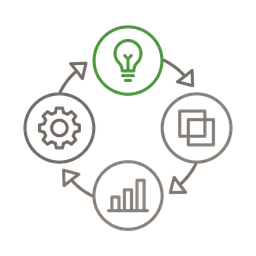
Prototype development lifecycle (Colin Matthews)
Hypothesis → Prototype(s) → Measurement → Implementation. Start with a clear hypothesis from your OKRs or Opportunity Solution Trees. Generate 3–5 prototype variants exploring different approaches. Measure with embedded analytics and user feedback – the step most teams skip. Hand off the winning direction to design and engineering with a clickable artifact, not a document. The lifecycle prevents the common trap of building one prototype, falling in love with it, and shipping without comparison.
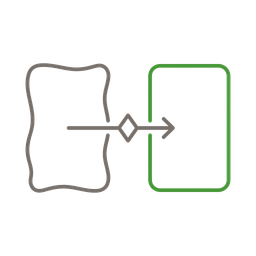
Two protected spaces (Patrick Morgan)
Keep prototype and production environments deliberately separate. The prototype space is unconstrained – mock data, no backend, no production framework requirements. The production space has full rigor – tests, security, architecture. Core design elements transfer between them; everything else gets rebuilt. The boundary prevents 'let's just ship the prototype' syndrome while still making the exploration work reusable. Jeremy Keith's test: if you're thinking about the right class name, you've drifted into production thinking.
Good vs. bad
Common mistakes paired with what experienced practitioners do instead – and why the product builder approach changes the game.


Prototyping used to be the designer's job. The PM wrote a spec, the designer built a clickable Figma flow, the engineer squinted at it and tried to reproduce the interactions. AI killed that handoff chain. Now anyone on the team can prototype – and the best prototypes are code, not clickable mockups.
The fidelity debate is over. With a design system and an AI coding tool, high-fidelity is the default – it costs the same as low-fi. Your prototype imports the same React components as production, so it looks real without extra effort. No wireframes, no gray boxes, no 'imagine this in the final colors.' Users see exactly what they'd see in the real product. That's the whole point – you're testing the experience, not the concept.
I don't use v0 or Lovable for prototyping. They're impressive demos, but they get you 70% there and then you hit their walls – token limits, opinionated stacks, no access to your existing components. Claude Code with a small Next.js project is faster, more flexible, and produces prototypes that are indistinguishable from the real product. Git branches give you free variant management. It's not a prototyping tool – it's just building, but faster and with permission to throw it away.
Spotify has an idea I love: a dedicated project that uses their Encore design system, just for prototypes. Any screen they build there is instantly high-fidelity because it uses real components. They even built an MCP server so AI agents can read their design system documentation and generate compliant code. You don't need to be Spotify to do this – a Next.js project with your Tailwind config and component library is the same thing.
The product builder advantage in prototyping is end-to-end ownership. You talk to a user, hear about a problem, sketch a solution on a whiteboard, prototype it in code the same afternoon, and test it with another user the next day. No handoff to a designer to 'make a prototype.' No waiting for engineering to 'build a quick version.' The cycle from insight to validated prototype drops from weeks to hours. That speed is the whole point.
The most common mistake is skipping scenarios. Teams generate a beautiful screen but have no plan for what to test with it. A prototype without a scenario is a demo – it impresses, but it doesn't teach you anything. Write the scenarios first: who is the user, what are they trying to do, what decision does this help you make. Then build only what the scenarios need.
Go deeper
Books to deepen your understanding beyond what fits on this page.
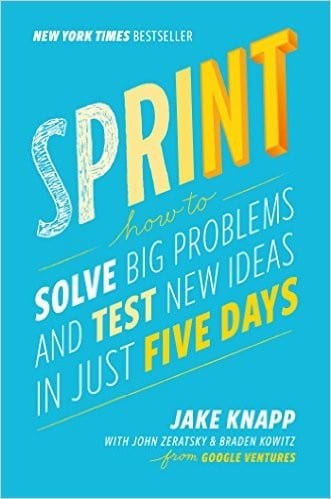
The design sprint methodology – a 5-day process from problem to tested prototype. Day 4 is prototype day: build just enough to test one critical assumption. The book that proved rapid prototyping works at any company scale.
Shaping work at the right level of abstraction before committing to a build. Breadboarding and fat marker sketches define what goes into the prototype. Free to read online.
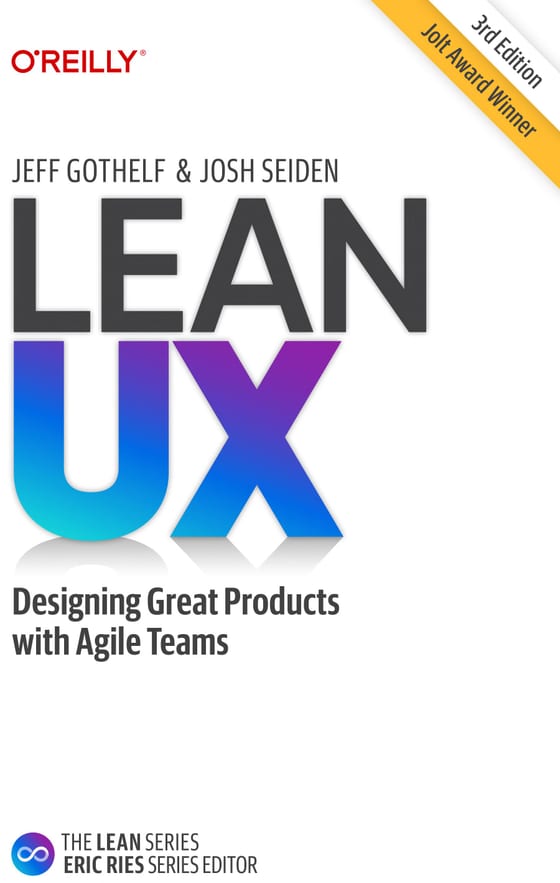
Hypothesis-driven design with minimum viable experiments. Prototyping as the fastest path to validated learning – build the smallest thing that tests your riskiest assumption.