What you need to do
The practical activities and techniques you need to master – what to practice, what to get good at, and what to keep doing.

Test research questions and forming hypotheses
Before recruiting anyone, define what decision this test will inform. Write 2–4 specific research questions – not 'is the design good?' but 'can users complete checkout without help?' Form hypotheses about expected behavior and set success criteria upfront: task completion rate, time thresholds, satisfaction targets. A usability test without clear research questions produces interesting observations but no actionable decisions.

Participant recruiting and screening
Find people who match your actual users – not colleagues, not friends, not 'anyone who's available.' Write screener questions that filter for relevant experience and behavior, not demographics. Use customer-facing teams, in-product prompts, or panels like User Interviews. For qualitative studies, 5 participants per user group uncover most major issues. For quantitative benchmarking, aim for 20+.

Task and script design
Write realistic task scenarios that provide context without revealing the answer. 'Your friend recommended this app for tracking expenses – find a way to add your lunch receipt' works. 'Click the Add Expense button' doesn't – it tests reading, not usability. Keep to 3–4 tasks per session. Include post-task questions: 'How easy was that?' (1–7 scale) and 'What would you have done differently?'

Conducting usability tests
Running usability test sessions – whether moderated (live facilitation, face-to-face or remote) or unmoderated (participants complete tasks on their own schedule using platforms like Maze or Lookback). For moderated sessions: guide without leading, use think-aloud protocol, boomerang questions back ('What do you think?'), and stay neutral when participants struggle – the struggle is the data. For unmoderated sessions: write crystal-clear task instructions (there's no facilitator to clarify), keep sessions under 15 minutes, and accept the trade-off of scale over depth.

Quick validation methods
Not every question needs a full usability test. First click testing checks if users know where to start – research shows 87% task success when the first click is correct versus 46% when it's wrong. Five-second tests verify your page communicates its purpose instantly. Preference tests compare 2–3 variants. These methods run in hours, not days, and answer specific design questions with minimal setup.

Session analysis and pattern finding
Watch recordings (or sit through live sessions) looking for patterns across participants, not individual quirks. When 3 out of 5 users struggle at the same point, that's a finding. Classify issues by severity: critical (blocks task completion), moderate (causes difficulty but users recover), low (minor friction). AI tools like Looppanel or Maze AI can auto-tag recurring pain points and generate summaries, but the judgment call on severity and priority is yours.

Synthesis and iteration
Turn observations into a prioritized list of changes. Focus on the top 3 critical issues – fixing everything at once is neither possible nor necessary. Apply Steve Krug's 'the least you can do' principle: what's the smallest change that addresses the core problem? Make the changes, then test again. Usability testing is a loop, not a phase – each round of fixes should be validated with another round of testing.
Frameworks to know
The mental models and structured approaches that guide how you think about this skill – not rules to follow, but lenses to see through.
System Usability Scale (John Brooke)
Ten-item Likert scale questionnaire administered after a test session. Produces a score from 0 to 100 – the average across 500+ studies is 68 (a 'C' grade). Created in 1986 but still the most widely used standardized usability questionnaire. Technology-independent, quick to administer, and easy to compare across products and time periods. Above 80 = strong, below 50 = serious problems.
UMUX / UMUX-Lite
A shorter alternative to SUS for measuring perceived usability. UMUX (Usability Metric for User Experience) uses just 4 items; UMUX-Lite reduces it to 2 items that correlate strongly with the full SUS score. The two UMUX-Lite items: 'This system's capabilities meet my requirements' and 'This system is easy to use' – both on a 7-point Likert scale. UMUX-Lite is ideal for in-product microsurveys where respondent time is limited. Research shows UMUX-Lite scores correlate at r=0.83 with full SUS scores, making it a valid quick-measure substitute.
Good vs. bad
Common mistakes paired with what experienced practitioners do instead – and why the product builder approach changes the game.



Most teams treat usability testing as something the designer does with a Figma prototype before development starts. That's backwards. The most valuable usability tests happen on working code – the real product, with real data, on real devices. When the person who built the prototype also runs the test, the feedback loop from observation to fix drops from days to hours.
I'm a big fan of Steve Krug's approach: 3 users, one morning, fix the top 3 issues, repeat next month. It's not statistically rigorous and it doesn't need to be. You're not writing a research paper – you're finding the places where real people get stuck. Five participants catch 85% of usability problems. That's enough to ship with confidence.
The think-aloud protocol is the most underrated tool in a product builder's kit. Metrics tell you what happened – 40% of users failed checkout. But watching someone think out loud while struggling with your interface tells you why. Was the button invisible? Did they expect a different flow? Did the label confuse them? You can't fix a problem you don't understand, and you can't understand it from analytics alone.
AI is transforming the tedious parts – transcription, tagging, generating session summaries. But it hasn't replaced the human parts: reading body language, knowing when to probe deeper, and making the judgment call about which issues matter most. Use AI to handle the processing so you can focus on the observation.
The product builder advantage in usability testing is speed. You interview a user on Monday, prototype a solution on Tuesday, test it with another user on Wednesday. No handoff to a designer to 'prepare a prototype.' No waiting for a researcher to 'schedule a study.' The same person who heard the problem builds the solution and validates it – in the same week.
Go deeper
Books to deepen your understanding beyond what fits on this page.
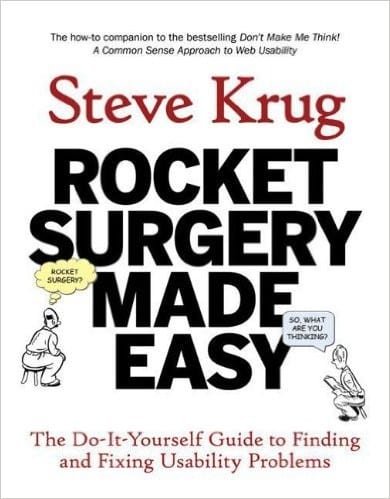
The do-it-yourself guide to usability testing. 3 users, one morning a month, fix the top problems. Includes all the scripts, checklists, and forms you need to run your own tests.
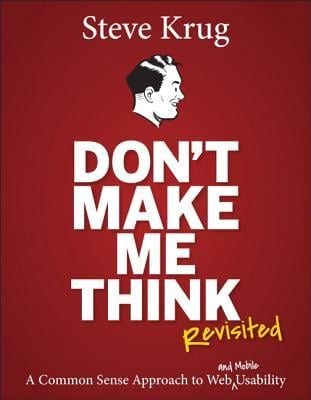
The classic introduction to web usability – the principles that make interfaces self-evident. The companion to Rocket Surgery that explains what good usability looks like before you start testing for it.

The statistics behind usability metrics – sample sizes, confidence intervals, SUS scoring, and how to make quantitative sense of qualitative observations. The reference for when you need numbers that hold up.