
What you need to do
The practical activities and techniques you need to master – what to practice, what to get good at, and what to keep doing.

Survey research questions and forming hypotheses
Define the research questions this survey will answer and form testable hypotheses before writing any questions. No research question, no survey. If you can’t articulate what you expect to learn and how it will inform a product decision, don’t send it.

Question design and scale selection
Choose the right question type and scale – Likert for attitudes, NPS for loyalty, CSAT for satisfaction, CES for effort – and write neutral, unambiguous questions. Default to 5-point scales for most purposes; 7-point when finer granularity matters.

Survey structure and flow design
Order questions from general to specific, front-load critical items, and keep it short – 5–10 questions max, 1–3 for microsurveys. Pre-test with 5–10 cognitive interviews to catch confusing wording before launch.

Sampling and distribution planning
Define who should respond (not just who’s easiest to reach), choose the channel (in-app, email, link), and calculate sample size. Account for base distribution – if power users respond 3x more than casual users, your “average” reflects power users, not reality. Weight results or stratify your sample.

Survey deployment and response collection
Launch with contextual timing – after specific events, not random. Set frequency caps to prevent fatigue, and send 2–3 reminders to improve response rates by 20–30%. In-app microsurveys get up to 60% response rates vs. 10–15% for email.

Response analysis – descriptive statistics and distributions
Calculate scores (NPS, CSAT, PMF %), examine distributions (not just averages), and segment results by user attributes to surface meaningful differences. A single average collapses the entire distribution into one misleading number.

Cross-tabulation and segmentation
Break results by user type, behavior, tenure, or demographics. Aggregate scores hide the most important patterns – the interesting story is usually in the segments, not the overall number.
Frameworks to know
The mental models and structured approaches that guide how you think about this skill – not rules to follow, but lenses to see through.

One-question microsurveys
One question, triggered at the right moment, answered in seconds. A single well-timed question – deployed in-app after a specific user action – gives you quantitative signal with almost zero friction. “How easy was it to complete this task?” after onboarding. “Did you find what you were looking for?” after search. Microsurveys work because they respect user attention, achieve response rates up to 60%, and produce data you can act on immediately.

Sean Ellis PMF survey
“How would you feel if you could no longer use this product?” Very disappointed / Somewhat disappointed / Not disappointed. If 40%+ say “very disappointed,” you likely have product-market fit. Survey users who experienced the core product at least twice in the last two weeks. Minimum 30 responses for directional data, 100+ for confidence.

Net Promoter Score (NPS)
“How likely are you to recommend this product to a friend or colleague?” on a 0–10 scale. Promoters (9–10), Passives (7–8), Detractors (0–6). NPS = % Promoters − % Detractors. Keep NPS surveys to 3 questions max. Use relationship surveys (1–2x/year for overall loyalty) and transactional surveys (immediately after specific touchpoints) as complementary tools.

CSAT (Customer Satisfaction Score)
“How satisfied are you with this interaction?” on a 1–5 scale. CSAT = (satisfied + very satisfied) / total responses × 100. Best used immediately after interactions – feedback collected within minutes is 40% more accurate than 24 hours later. Complement with an open-text “Why?” question.

CES (Customer Effort Score)
“This company made it easy for me to complete my task.” Measured on a 5- or 7-point Likert scale. Predicts future purchase behavior better than satisfaction alone (Harvard Business Review). Deploy after support interactions, onboarding, or any task-based flow. Lower effort = higher loyalty.
Good vs. bad
Common mistakes paired with what experienced practitioners do instead – and why the product builder approach changes the game.



Surveys are for quantification – but always after qualitative first. They can serve both problem discovery and solution discovery, but they’re always a measurement tool: how widespread is this problem? How common is this behavior? How many users prefer option A vs B? The mistake is reaching for a survey before you know what to ask. Interviews first to understand the landscape, then surveys to measure it.
The product builder advantage: when the same person who designs the survey also reads the code and talks to customers, the survey gets better. You write questions that connect to real product decisions because you understand the technical constraints and the user pain. Traditional teams have a researcher who writes the survey but doesn’t understand what’s buildable, and a PM who reads the results but wasn’t there when the questions were chosen.
One-question microsurveys are your primary tool. Forget quarterly 20-question surveys. A single well-crafted question, triggered contextually in the product, answered in seconds. “How easy was it to complete this task?” after onboarding. “How would you feel if you could no longer use this product?” for PMF. One question, right moment, continuous rhythm. That’s it.
AI changed the bottleneck. The hard part of surveys used to be analyzing open-text responses – hundreds of comments that nobody had time to read. AI tools now do this in minutes with 80–90% accuracy. The new bottleneck is asking the right questions and acting on the answers.
Close the loop or stop surveying. If you collect feedback and don’t tell users what changed, you’re training them not to respond. Closing the loop is not a nice-to-have – it’s a prerequisite for sustainable feedback programs.
Go deeper
Books to deepen your understanding beyond what fits on this page.
Practical survey design for UX and product teams. The most accessible book for product builders who aren’t researchers.
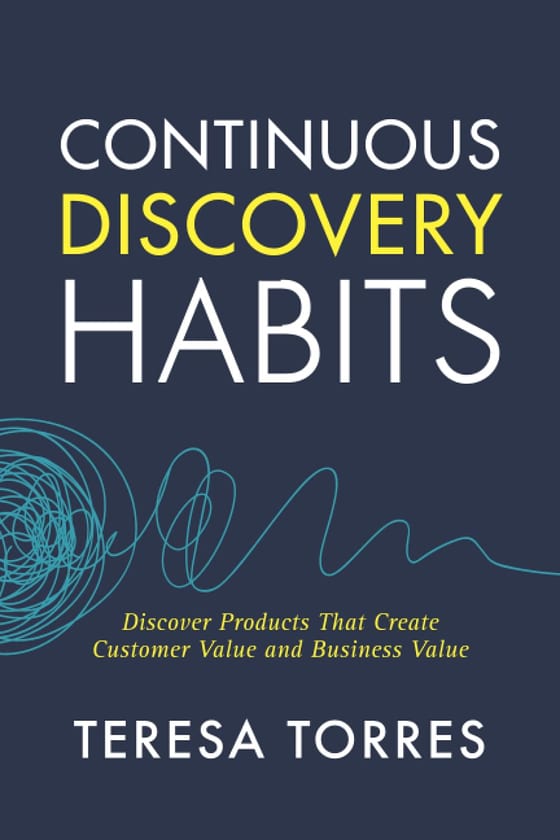
Positions surveys as one validation tool within a continuous discovery rhythm – weekly customer contact, not quarterly research projects.

Origin of the PMF survey and the 40% benchmark. The chapter on product-market fit is worth the whole book.