
What you need to do
The practical activities and techniques you need to master – what to practice, what to get good at, and what to keep doing.

Understanding your data schema
Know which tables exist, what columns they hold, and how they relate through foreign keys. You can’t query what you don’t understand – reading the schema is the first step to asking the right questions.

Writing queries: SELECT, WHERE, JOIN
Retrieve data from one or more tables. Filter rows, combine related tables, and get exactly the data you need. This is 80% of the SQL a product builder will ever write.
Aggregating and grouping: COUNT, SUM, AVG, GROUP BY
Turn raw rows into useful summaries – how many users signed up last week, average order value by segment, total revenue by month. Adding HAVING filters aggregated results.

Structuring readable queries with CTEs
Use Common Table Expressions (WITH clauses) to break complex queries into named, readable steps. CTEs make queries composable, debuggable, and reviewable by teammates – unlike deeply nested subqueries.

Window functions for rankings and period comparisons
Calculate running totals, rank users by activity, compute period-over-period changes, and find moving averages – all without collapsing rows. ROW_NUMBER, RANK, SUM OVER, and LAG/LEAD are the essential toolkit.
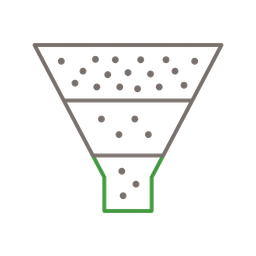
Funnel analysis – step-by-step conversion queries
Measure how users progress through a defined sequence of steps (signup → activation → purchase). Requires joining event data across steps with time constraints. The LEAD window function approach is the most performant for large event datasets.

Cohort analysis – tracking groups over time
Group users by their signup date (or first action), then measure retention across subsequent periods. Requires calculating date differences, pivoting by period, and computing retention percentages. The foundational query for understanding whether your product keeps users.
Frameworks to know
The mental models and structured approaches that guide how you think about this skill – not rules to follow, but lenses to see through.

AARRR pirate metrics
Five stages of the customer lifecycle: Acquisition, Activation, Retention, Revenue, Referral. Each stage maps to specific SQL queries – signup counts, activation event rates, cohort retention tables, revenue per user, and referral tracking. AARRR gives you a framework for which queries to write, not just how to write them. Start by building a dashboard with one metric per stage.

HEART framework + Goals-Signals-Metrics
Five dimensions of user experience: Happiness, Engagement, Adoption, Retention, Task Success. Created by Kerry Rodden, Hilary Hutchinson, and Xin Fu at Google. The real power is the accompanying Goals-Signals-Metrics process: for each dimension, define a goal, identify observable signals, then derive a specific metric you can query. HEART complements AARRR: AARRR maps the business funnel, while HEART measures experience quality at each stage.

Funnel analysis pattern
Three columns in your event data tell the whole story: who (user_id), what (event_name), and when (event_timestamp). A funnel query chains sequential events with time constraints – “user did A, then B within 7 days, then C within 30 days.” The LEAD window function approach (partitioned by user, ordered by time) is both faster and cleaner than JOIN-based funnels, which have O(n²) complexity.

Cohort retention grid
Group users by acquisition period (week or month), then calculate what percentage remain active in each subsequent period. The standard query pattern: define cohorts by first event date, calculate period offsets using DATE_DIFF, count distinct users per cohort-period pair, then divide by cohort size. The resulting grid is the single most important artifact for understanding product health.
Good vs. bad
Common mistakes paired with what experienced practitioners do instead – and why the product builder approach changes the game.



SQL is the one technical skill every product builder needs. You can debate whether PMs should code. You can argue about Figma proficiency. But SQL isn’t optional. It’s the difference between “I think users are dropping off at checkout” and “37% of users who add to cart don’t complete purchase, and it’s 52% on mobile.” The first is a hunch. The second is a decision.
You need 20% of SQL to answer 80% of your questions. SELECT, WHERE, JOIN, GROUP BY, COUNT, and a basic CTE. That’s it for most product work. Window functions are the unlock for the next level – once you can write a cohort retention query, you can answer questions that most PMs can’t even formulate. You don’t need stored procedures, triggers, or database administration.
The product builder advantage: from question to query to decision. In traditional teams, the PM writes a ticket asking the analyst for a number. The analyst clarifies requirements, writes the query, sends a chart. The PM asks a follow-up. Cycle repeats. When the product builder writes their own query, the whole loop collapses from days to minutes. You explore the data, notice something unexpected, pivot your question, and arrive at an insight – all in one sitting.
AI makes SQL accessible, not obsolete. Text-to-SQL tools can generate 80% of the query from a plain English description. But you still need to know enough SQL to validate the output, catch wrong joins, and know when the generated query answers a slightly different question than what you asked. AI is the best SQL tutor: describe what you want, read what it generates, learn the pattern.
Be data-informed, not data-driven. SQL gives you the “what.” Interviews give you the “why.” The best product decisions combine both. Pure data-driven cultures end up optimizing for local maxima – making the existing thing slightly better instead of building the right thing.
Start with AARRR, not with random queries. Most PMs who learn SQL don’t know what to query first. AARRR gives you the framework: one acquisition query, one activation query, one retention query, one revenue query, one referral query. Five saved queries, five dashboard panels. That’s your starting point.
Go deeper
Books to deepen your understanding beyond what fits on this page.
The “One Metric That Matters” framework. Teaches which metrics to track at each startup stage – the strategic complement to SQL’s tactical power.
Advanced SQL techniques for real analyses – retention, customer lifetime value, time series. Assumes SQL basics and teaches the analytical thinking.
What to do after you’ve pulled the data – how to visualize and communicate findings so people actually act on them.
The best beginner SQL book. Teaches through real-world datasets with PostgreSQL. Accessible to non-engineers.