What you need to do
The practical activities and techniques you need to master – what to practice, what to get good at, and what to keep doing.

User identification and sessions
Connecting anonymous page views to identified users across devices and sessions. Before login, assign an anonymous ID (usually a cookie or device fingerprint). At login or signup, call identify() to merge the anonymous profile with a known user ID. Most analytics platforms handle this merge automatically, but getting it wrong creates duplicate users that corrupt every metric. Sessions group a user's actions into meaningful visits – typically defined as continuous activity with gaps shorter than 30 minutes. Track session properties (referrer, UTM parameters, device type) at session start to keep data volumes manageable.

Events
Defining what to track and how to name it – the foundation of all product analytics. Use the Object-Action framework: choose objects (Song, Cart, Article) then define past-tense actions users perform on them (Played, Added, Viewed). This produces clean, readable events like 'Song Played' or 'Cart Item Added.' Use snake_case consistently across all platforms. Maintain a tracking plan documenting every event and property. Bake naming convention validation into the code so new developers can't fire poorly named events. Track what you'll act on – if you can't name the action you'd take when a metric moves, don't track the event.
Crash and error monitoring
Capturing, grouping, and prioritizing production errors so you fix the ones that matter. Sentry is the standard for JavaScript error tracking: install the SDK, initialize it early in your app's lifecycle, and configure your DSN. Sentry automatically captures unhandled exceptions, network errors, and JavaScript errors, groups them into issues, and tracks their frequency and impact. Filter noise (ignore bot traffic, outdated browsers, known third-party errors), set up release tracking so you know which deployment introduced a regression, and use breadcrumbs to reconstruct the user's path. Prioritize by impact: an error affecting 10% of checkout attempts matters more than one on a settings page.
Logs and log aggregation
Capturing logs in a consistent, machine-parseable format and centralizing them for search and analysis. Use JSON-structured logs with key-value pairs: timestamp, log level (INFO, WARN, ERROR), message, service name, request ID, and relevant context. Include correlation IDs to trace requests across distributed services. Never log secrets, credentials, or PII. Centralize logs in a platform (Datadog, Better Stack, ELK stack, or Vercel Log Drains) so you can search, filter, and alert across all services from one place.

Metrics monitoring
Tracking numerical measurements over time to understand system health and user behavior. Monitor the golden signals: error rate (percentage of requests returning 5xx), latency (p95 and p99, not averages), throughput (requests per second), and saturation (CPU, memory, I/O utilization). Tools like Prometheus collect time-series metrics that you visualize with Grafana. Define SLIs (Service Level Indicators) from the user's perspective – page load time, API response time, task completion rate. For product metrics, track Core Web Vitals (LCP, INP, CLS) from real users with field data, not synthetic scores.
Traces
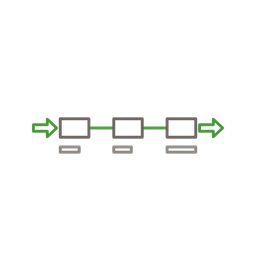
Following a single request as it propagates through services – showing you where things went wrong in distributed systems. A trace consists of spans: each span represents one operation (an API call, a database query, a queue message). Together, spans reveal the full path of a request and the time spent in each step. OpenTelemetry (OTel) is the open standard for collecting traces with vendor-neutral instrumentation that works with any backend. Traces are essential when your system has multiple services – they answer 'which service is slow?' not just 'something is slow.'
Frameworks to know
The mental models and structured approaches that guide how you think about this skill – not rules to follow, but lenses to see through.

AARRR (Pirate Metrics)
Dave McClure's framework for tracking the complete user lifecycle: Acquisition (how users find you), Activation (first value moment), Retention (do they come back), Revenue (do they pay), and Referral (do they tell others). Each stage maps to specific events and funnels. The framework's power is prioritization: if acquisition is strong but activation is weak, pouring more money into marketing wastes budget – fix the activation funnel first. Map each stage to 2–3 key events, build funnels between stages, and focus improvement efforts on the weakest link.
HEART + Goals-Signals-Metrics
Five dimensions of user experience: Happiness, Engagement, Adoption, Retention, Task Success. Created by Kerry Rodden, Hilary Hutchinson, and Xin Fu at Google. The real power is the accompanying Goals-Signals-Metrics process: for each dimension, define a goal, identify observable signals, then derive a specific metric you can query. HEART complements AARRR: AARRR maps the business funnel, while HEART measures experience quality at each stage.

Google's four golden signals
From the Google SRE book: the four signals that matter most for monitoring user-facing systems. Latency – the time it takes to service a request (distinguish successful from failed requests). Traffic – how much demand is being placed on your system. Errors – the rate of requests that fail (explicit 5xx, implicit wrong content, policy-based like slow responses). Saturation – how 'full' your service is. If you can only measure four things about your system, measure these four. They directly correlate with user experience and give you enough signal to detect, locate, and diagnose most problems.
Good vs. bad
Common mistakes paired with what experienced practitioners do instead – and why the product builder approach changes the game.



Observability is the skill that separates builders who ship confidently from builders who ship and pray. I've worked on products where we had zero visibility into what users actually did – every product decision was based on gut feel and stakeholder opinions. The moment we instrumented the key funnels, we discovered that our most-requested feature had a 3% adoption rate, and the feature nobody talked about was the primary retention driver. Data doesn't replace judgment, but it makes judgment dramatically better.
The biggest observability mistake I see is treating product analytics and technical monitoring as separate disciplines. They're two views of the same system. When the checkout funnel drops 20%, is it a UX problem or a latency problem? You can't answer that without connecting product events to technical metrics. This is why I prefer platforms like PostHog that combine analytics, session replay, and error tracking – not because they're the best at any single thing, but because the connections between signals are where the real insights live.
Privacy regulations are actually a gift to product teams. GDPR forces you to be intentional about what you track, which eliminates the 'track everything, analyze nothing' anti-pattern. When you have to justify every event to a privacy review, you end up with cleaner data, smaller storage bills, and metrics you actually use. The teams I've worked with that adopted privacy-first analytics ended up with better data quality than those that tracked everything they could.
AI is changing observability faster than any other skill in the product builder toolkit. Not because AI writes better dashboards – it doesn't, yet – but because it can surface patterns in telemetry data that humans miss. Anomaly detection that learns normal behavior, natural-language queries over product data, and automated root cause analysis are already production-ready. The product builder who can ask 'why did retention drop for the March cohort?' in plain language and get a data-backed answer in seconds has a massive advantage over the one who spends an afternoon building SQL queries.
Go deeper
Books to deepen your understanding beyond what fits on this page.

The definitive guide to modern observability – explains what constitutes good observability, practical dos and don'ts for migrating from legacy monitoring, and the organizational culture changes observability requires.
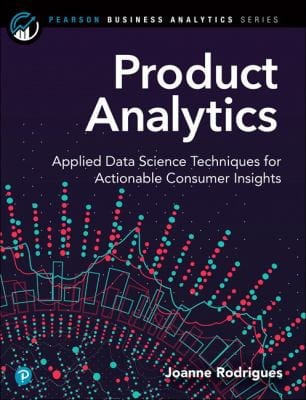
Applied data science techniques for actionable consumer insights – event taxonomies, user journeys, cohort analysis, and the practical work of designing and analyzing product event streams that drive decisions.
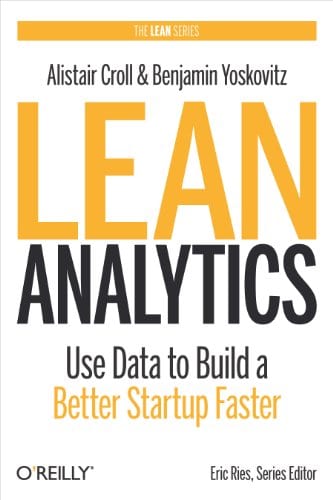
Pirate Metrics (AARRR), the One Metric That Matters, and stage-based analytics from empathy to scale. The book that taught a generation of product builders how to pick the right metric for the right moment.
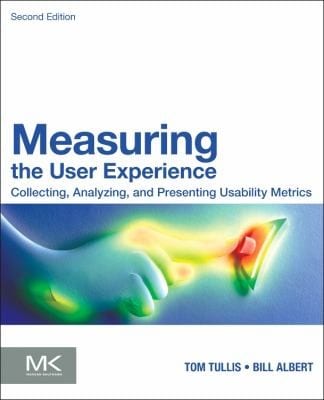
Collecting, analyzing, and presenting usability metrics – including Google's HEART framework (Happiness, Engagement, Adoption, Retention, Task success). The reference for behavioral metrics that connect product analytics to UX outcomes.