App development
Building desktop and mobile applications – either with native technologies (Swift for macOS/iOS, Kotlin for Android) or with web-based cross-platform frameworks (Tauri) that package web frontends as native apps. Choosing the right approach based on performance needs, platform integration depth, and team capabilities.
What you need to do
The practical activities and techniques you need to master – what to practice, what to get good at, and what to keep doing.

Choosing technology
The first decision isn't which framework – it's how much native surface area the product actually needs. A PWA (Progressive Web App) covers push notifications, offline support, and home screen installation without any app store. Tauri wraps your existing web frontend in a native shell with system-level access – file system, system tray, global shortcuts. True native development (Swift/SwiftUI, Kotlin/Compose) is reserved for cases that demand GPU-intensive rendering, deep OS integration, or hardware access that WebViews can't provide. For a product builder, the question is: start with the least invasive option and escalate only when you feel specific pain.
Implementing app interface
Building the user-facing layer of your application. For web-based apps (Tauri, PWA), the interface is your existing HTML/CSS/JS frontend rendered in a WebView or browser. Modern devices have GPU-accelerated WebViews that render at 60fps. For native apps, SwiftUI (Apple) and Jetpack Compose (Android) provide declarative UI frameworks. The product builder's advantage: web skills transfer directly to app interfaces. Your existing React, Vue, or vanilla components work inside Tauri with zero modification.
Implementing app storage
Desktop and mobile apps should work with data reliably – and often without an internet connection. The offline-first pattern: store data locally first, sync to the server when connectivity is available. Local storage options include IndexedDB (built into WebViews, good for structured data), SQLite via WebAssembly (full relational database in the browser), and the file system (via Tauri's store plugin or custom commands). Sync strategies range from simple (last-write-wins timestamps) to sophisticated (CRDTs for automatic conflict resolution). For online-only apps, the storage layer is simpler but still benefits from local caching for perceived performance.
Communication with servers
How the app talks to your backend. Web-based apps use standard HTTP (fetch API) and WebSockets for real-time features. Tauri apps can bypass CORS restrictions through their Rust HTTP client. For offline-capable apps, implement a sync queue: apply changes locally, queue them for upload, and reconcile when connectivity returns. Handle the three network states in your UI: online (real-time sync), offline (local-only with queue), and syncing (uploading queued changes). Push notifications require platform-specific setup: APNs for iOS, FCM for Android, and Service Workers for web.
Packaging, signing, and publishing
Each platform expects a specific package format. macOS: .dmg or .app bundle. Windows: .msi or .exe with NSIS. Linux: .deb, .rpm, or .AppImage. iOS: .ipa through Xcode. Android: .aab or .apk. Unsigned apps trigger security warnings – users see 'unidentified developer' dialogs that kill trust. macOS requires code signing with an Apple Developer certificate plus notarization. Windows requires a code signing certificate. Automate signing in CI – never commit certificates to the repository. For store distribution, Apple requires meaningful functionality beyond a repackaged website. Google Play requires targeting current API levels.
Auto updates
Desktop apps can't rely on app store updates – users expect seamless in-app updates. Tauri provides a built-in updater plugin that checks a remote endpoint, downloads the update, verifies its Ed25519 signature, and applies it. The URL supports version, target, and arch placeholders for server-side checking. For mobile apps distributed through stores, updates go through the store's review process. For TestFlight (iOS) or side-loaded APKs (Android), you control the update cycle directly. Ship the auto-updater from the very first release – retrofitting it later means users on old versions can never auto-update.
Frameworks to know
The mental models and structured approaches that guide how you think about this skill – not rules to follow, but lenses to see through.
Tauri
The leading framework for building desktop and mobile apps from a web frontend. Architecture: a Rust core handles native system APIs, a system WebView renders your HTML/CSS/JS frontend, and typed IPC commands bridge the two. A minimal Tauri app can be under 600KB – compared to Electron's 100MB+ – because it uses the OS-provided WebView instead of bundling Chromium. Tauri 2.0 supports macOS, Windows, Linux, iOS, and Android from a single codebase. The plugin ecosystem covers file system, clipboard, notifications, system tray, global shortcuts, HTTP, shell, store, and auto-updates. The security model is capability-based: every system API permission must be explicitly granted.
Progressive Web Apps (PWA)
Web apps that can be installed on devices and provide native-like experiences – without app store submission or native code. Service Workers enable offline caching and background sync. The Web App Manifest defines the app icon, name, theme color, and display mode (standalone removes the browser chrome). Push notifications work on all major platforms including iOS since Safari 16.4. The limitation: PWAs can't access system tray, global shortcuts, or deep file system integration. PWAs are the right choice when your app is primarily content consumption, doesn't need deep OS integration, and benefits from zero-install frictionless access.
Good vs. bad
Common mistakes paired with what experienced practitioners do instead – and why the product builder approach changes the game.



The web platform has quietly become the best cross-platform app runtime. Not because web technologies are inherently superior to native – they're not, for certain workloads – but because the web's reach, developer tooling, and AI assistance are unmatched. When I can write HTML, CSS, and TypeScript and ship to macOS, Windows, Linux, iOS, and Android from one codebase, the productivity multiplier is enormous. The remaining native-only use cases – GPU-intensive 3D, low-level hardware access, deeply embedded OS features – are real but narrow. Most product builders will never hit them.
Tauri changed my perspective on desktop apps. Before Tauri, building a desktop app meant either learning Swift/C# for each platform or accepting Electron's 100MB+ overhead. Tauri's approach – use the WebView the OS already provides, add a thin Rust layer for system access – is obvious in hindsight. The result: apps that feel native, weigh almost nothing, and use the same frontend code you'd write for the web. The learning curve for Rust is modest because Tauri commands are simple – define a function, annotate it, and AI tools handle the rest.
Electrobun is the framework I'd been waiting for. TypeScript everywhere – no context switching between languages – with Bun's speed as the backend runtime. The 14KB update patches via bsdiff are a game-changer for desktop apps that need to stay current. It's newer and less proven than Tauri, and it lacks mobile support, but for desktop-only TypeScript projects, it's already my first choice.
The biggest mistake in app development isn't choosing the wrong framework – it's building an app when a PWA would suffice. PWAs handle push notifications, offline caching, and home screen installation with zero app store friction. Only escalate to Tauri/Electrobun when you need system tray access, global shortcuts, deep file system integration, or native menus. Start with the lightest option that meets the requirement.
Code signing is the unsexy foundation that makes everything else work. Without it, macOS blocks your app, Windows shows scary warnings, IT departments refuse installation, and your auto-updater can't verify integrity. Automate signing in CI from the very first build – treating it as an afterthought costs more in lost user trust than the $99 Apple Developer fee ever will.
Go deeper
Books to deepen your understanding beyond what fits on this page.
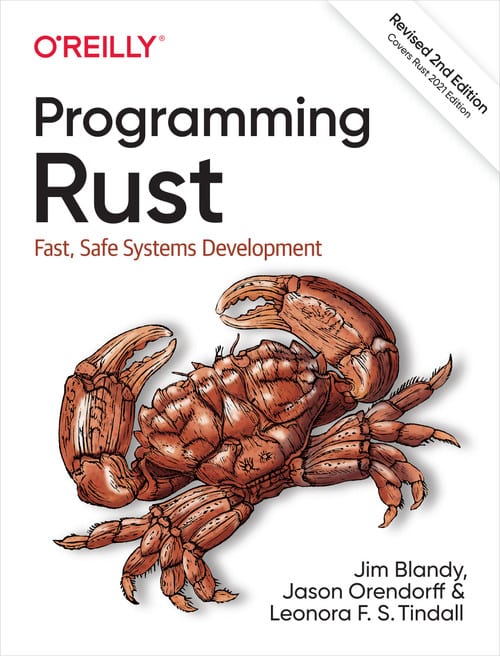
The definitive guide to Rust – the language behind Tauri's core. Covers ownership, lifetimes, traits, and async programming. Essential background for writing custom Tauri commands beyond what AI can generate.
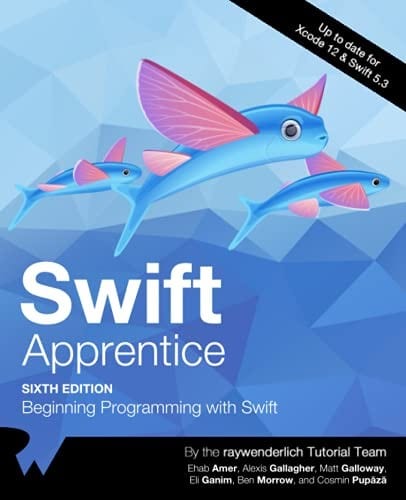
Beginning programming with Swift and SwiftUI – covers iOS app development end-to-end with hands-on projects. The fastest path from "I know Swift" to "I can ship a SwiftUI app to the App Store."
Practical Kotlin for Android development – classes, coroutines, sequences, and the patterns you'll use daily building Android apps. The companion that makes Jetpack Compose feel natural.