What you need to do
The practical activities and techniques you need to master – what to practice, what to get good at, and what to keep doing.
ER modelling
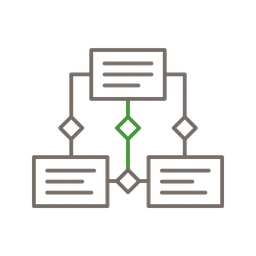
Before writing any code, draw the data model. Identify entities (users, orders, products), their attributes, and how they relate (one-to-many, many-to-many). Entity-relationship diagrams don't need to be formal UML – a whiteboard sketch or a quick diagram in Excalidraw is enough. The goal is to make the data structure visible and debatable before it becomes a migration. Use UUIDs or ULIDs as primary keys for any table exposed through an API. Add NOT NULL constraints by default. Foreign keys enforce relationships at the database level, not in application code.
Execution plans and indexes
EXPLAIN ANALYZE is the single most valuable database skill. It shows you exactly what the database does with your query: which indexes it uses, where it does sequential scans, how many rows it examines versus returns. An index is a trade-off: faster reads, slower writes, more storage. Don't add indexes speculatively – analyze your actual query patterns first. Index columns that appear in WHERE clauses, JOIN conditions, and ORDER BY expressions. Composite indexes matter: an index on (customer_id, created_at) serves queries filtering by customer and sorting by date. One well-chosen index beats five guessed ones.

Migrations
Schema migrations in production are the most dangerous database operation. Make every migration reversible – if it adds a column, the rollback drops it. Never rename or remove a column in a single deployment – use expand-and-contract: add the new column, migrate data, update application code, then remove the old column in a separate release. Tools like Prisma Migrate or Drizzle Kit generate migration files from your schema definition – review them before running, never auto-apply in production.
Relational databases
PostgreSQL is the right default for almost everything – it handles relational data, JSON documents (JSONB), and even geospatial queries (PostGIS) in a single system. Normalize your schema to Third Normal Form (3NF) as the default – every non-key column depends on the key, the whole key, and nothing but the key. Then denormalize deliberately when you have measured evidence that joins are too slow. Materialized views and computed columns are safer denormalization strategies than duplicating data across tables. The product builder's instinct: start with one database, add specialized stores only when you hit a measured limitation.
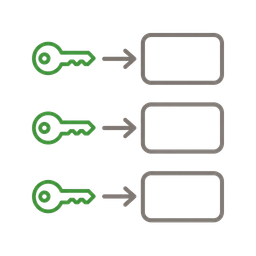
Key-value stores
Add Redis or Valkey when you need sub-millisecond reads for caching, sessions, rate limiting, or simple counters. Key-value stores excel at ephemeral data that can be regenerated if lost – treat them as caches, not as primary stores. Use TTL (time-to-live) on every key to prevent unbounded memory growth. For persistent key-value needs, consider PostgreSQL's hstore or JSONB columns – one fewer operational dependency.

Full-text search
PostgreSQL's built-in full-text search with tsvector handles most product search use cases without adding Elasticsearch. Create a tsvector column, index it with GIN, and query with ts_query. For more advanced needs – faceted search, typo tolerance, instant results – dedicated search engines like Meilisearch or Typesense offer simpler APIs than Elasticsearch with lower operational overhead. Choose based on your query complexity: PostgreSQL for basic search, Meilisearch for user-facing search with typo tolerance.
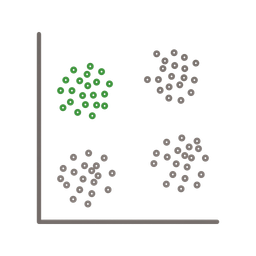
Vector databases
Store and query high-dimensional embeddings for semantic search, recommendation systems, and RAG pipelines. pgvector adds vector similarity search to PostgreSQL – the simplest starting point if you already use Postgres. For larger embedding volumes (millions of vectors), dedicated vector databases like Pinecone, Weaviate, or Qdrant offer better indexing algorithms (HNSW, IVF) and faster approximate nearest neighbor search. The product builder's rule: start with pgvector, move to a dedicated solution only when you've measured that Postgres can't handle your query volume.
Logs
Structured log storage for debugging, audit trails, and compliance. Application logs should be JSON-structured with consistent fields (timestamp, level, service, request_id). For small-to-medium volumes, centralize logs in a managed service (Better Stack, Datadog, or Vercel Log Drains). For high volumes or cost-sensitive environments, consider ClickHouse or Loki – columnar storage optimized for log-style append-only data with fast time-range queries.

Data privacy and compliance
GDPR and similar regulations aren't optional – they're architectural constraints. Decide at schema design time: which fields contain personal data, how long you retain it, and how you'll delete it when a user requests erasure. Soft deletes don't satisfy GDPR – you need actual deletion or irreversible anonymization. Separate personal data from analytics data at the table level so you can purge one without destroying the other. Encrypt sensitive fields at rest. Log access to personal data tables.
Frameworks to know
The mental models and structured approaches that guide how you think about this skill – not rules to follow, but lenses to see through.
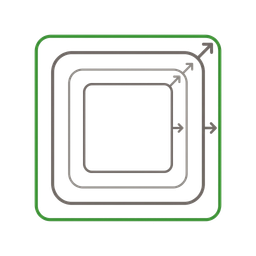
Normal forms
A progression of rules for eliminating data redundancy in relational schemas. First Normal Form (1NF): every column contains atomic values, no repeating groups. Second Normal Form (2NF): every non-key column depends on the entire primary key, not just part of it. Third Normal Form (3NF): every non-key column depends only on the primary key, not on other non-key columns. The mnemonic: 'The key, the whole key, and nothing but the key – so help me Codd.' Normalize to 3NF by default. Denormalize deliberately when you have measured evidence that joins are too slow for a specific query – and prefer materialized views over duplicated data.
Good vs. bad
Common mistakes paired with what experienced practitioners do instead – and why the product builder approach changes the game.



Database design is where product builders save the most time over the long run – and where they lose the most time when they skip it. A well-designed schema makes every feature easier to build. A badly designed schema makes every feature a negotiation with technical debt. I've watched teams spend months refactoring data models that would have taken an afternoon to get right upfront.
PostgreSQL is the answer to almost every database question a product builder will face. Relational data? Obviously. JSON documents? JSONB is excellent. Full-text search? Built in. Vector embeddings for AI? pgvector. Geospatial? PostGIS. I've seen teams adopt MongoDB, Elasticsearch, and Pinecone for use cases that PostgreSQL handles natively – each addition doubled their operational complexity for marginal benefit.
The most underrated database skill is reading EXPLAIN ANALYZE output. It's not glamorous, but it's the difference between guessing why a query is slow and knowing exactly why. I've seen developers add caching layers, rewrite application code, and even switch databases – when the real problem was a missing index that EXPLAIN ANALYZE would have shown in seconds.
Schema migrations terrify people because they've been burned by bad ones. The expand-and-contract pattern removes the fear: every change is reversible, every step is independently deployable, and the database is never in a state where running application code can't function. Once you internalize this pattern, database changes become as routine as code deployments.
I use Prisma for schema-first development and I think it's the single best productivity tool for database work. The schema file is readable, the migrations are generated, and the TypeScript client catches errors at compile time. When I change a column type, every query that touches it turns red in my editor immediately. That feedback loop – schema change → type error → fix – is worth more than any amount of manual testing.
Go deeper
Books to deepen your understanding beyond what fits on this page.
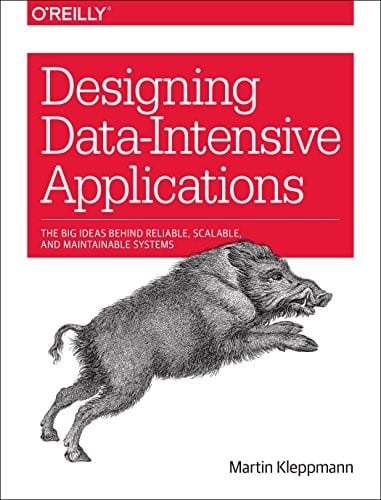
The definitive guide to how data flows through systems – storage engines, replication, partitioning, transactions, and stream processing. Essential for understanding why database design trade-offs exist and when they matter.
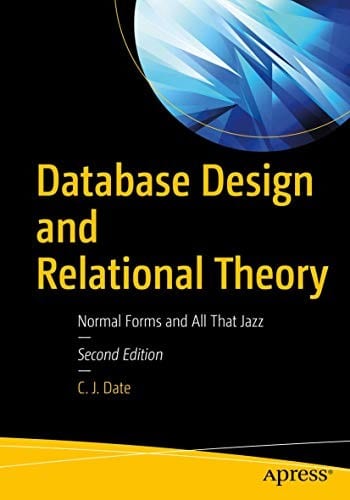
Normal forms and all that jazz – the rigorous treatment of relational theory by one of its founders. The reference for understanding why normalization rules exist and when to break them.